Stop wasting the first hour of every lab configuring the same tools. DPM installs your full toolkit from a single command.
Every course lab, every new machine, every teammate onboarding — same tools, same configs, same friction. Existing package managers are too broad or too opinionated for lab environments. DPM is narrow by design.
Apply a curated profile and get every tool for the job installed in one run. No manual list-keeping.
dpm apply ICI012AS3A
Pin exact versions or major tracks. The same command gives the same result every time, on every machine.
dpm install nmap@7
SHA-256 verification built in. Health checks via dpm doctor. Know your setup is clean.
dpm -k file.bin sha256.txt
Spin up a disposable isolated environment for learning and experimenting. Throw it away when you're done.
dpm -b
Tools cataloged with known-good install paths across apt, Homebrew, pip, cargo and direct HTTP.
dpm -s nmap
Map dotfiles from a repo into place alongside installs. Your config, everywhere, automatic.
dpm config install repo
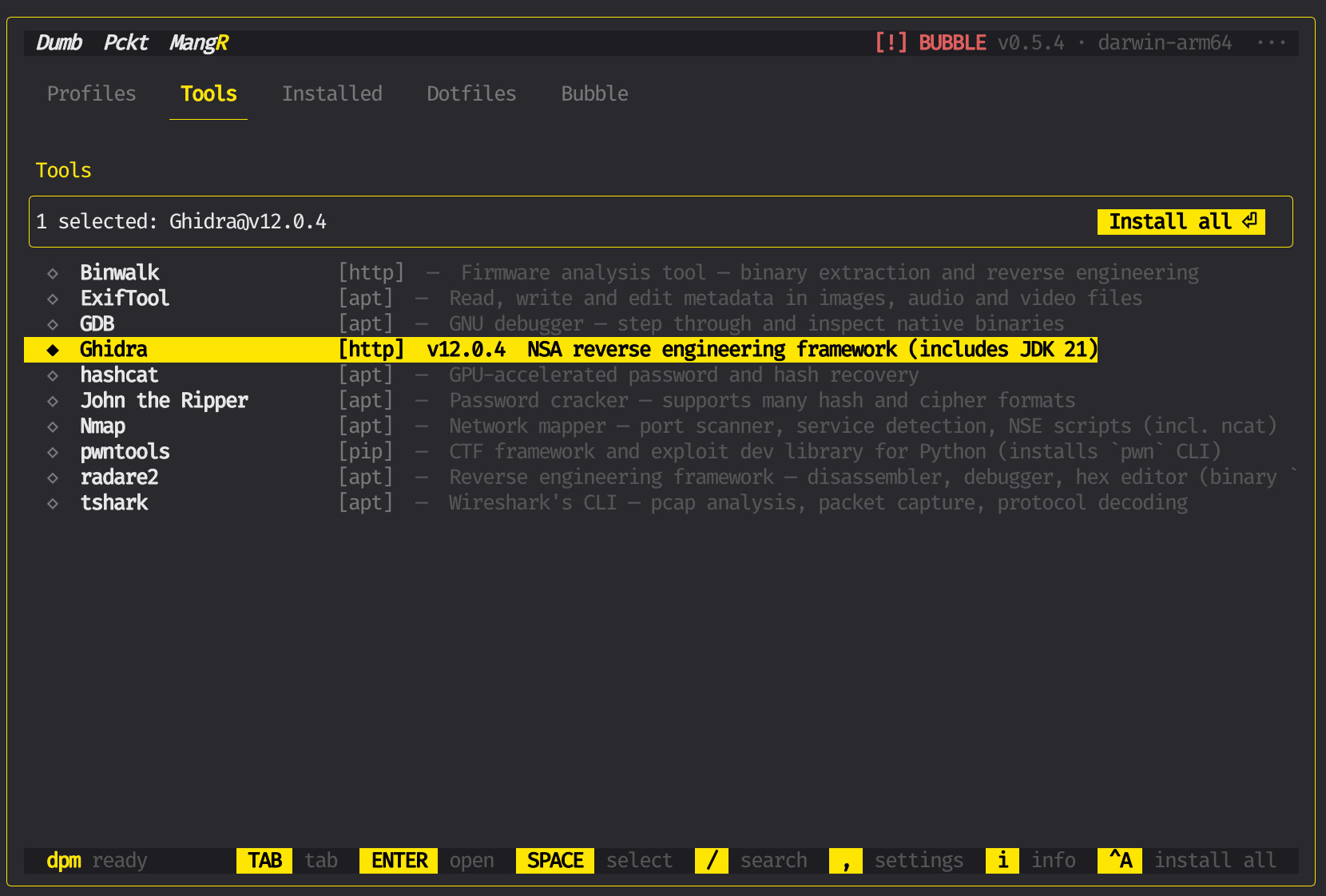
DPM comes with a visual interface (TUI) that opens when you type dpm. You can also use it directly from the command line — both do the same thing.
curl -sL dpm.fi/install.sh | sh
One script. Downloads the binary, puts it in your PATH. Done in seconds.
dpm
Opens the visual interface. Browse tools with arrow keys, search with /, switch tabs with TAB.
SPACE to select, ENTER to install
Pick what you need from the list and install it. Or switch to Profiles and apply a full toolkit in one go.
Prefer the command line? Everything works without the TUI too: dpm -i nmap, dpm -s binwalk, dpm apply HT8CTF2026.